ally InClusive
Turbo-charge your InDesign accessibility workflow!
Accessibility is hard enough – let’s make it simple
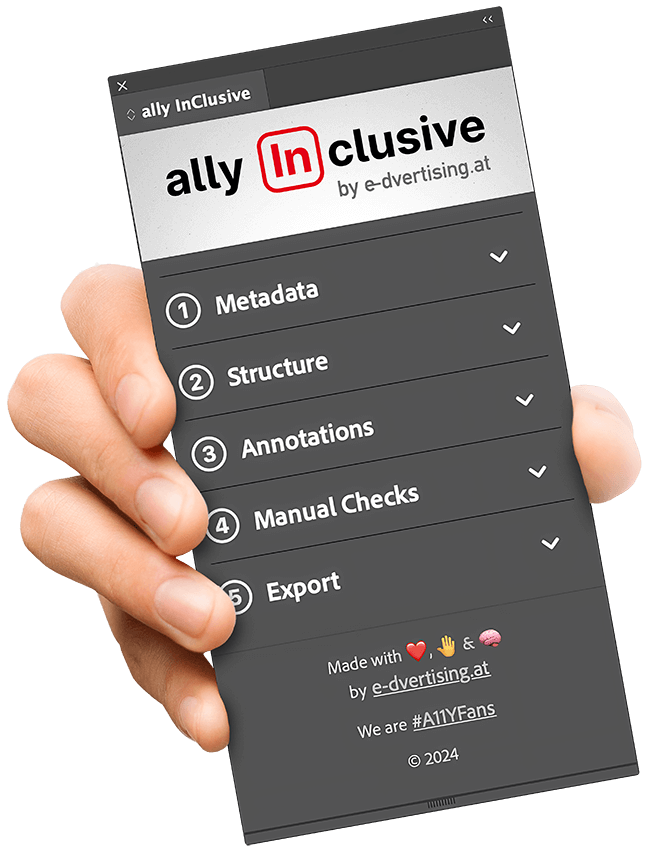
When it comes to creating accessible PDFs in InDesign, ally InClusive is your guide, your assistant, and – well – your ally. It’s here to help in three ways:
- A checklist to walk you through the process
- Shortcuts to the tools you need, when you need them
- Specialized tools to make things easier
And the best thing: It’s free. You’re welcome!
Features you’ll love – you’ll never want to go back
Checklists & Shortcuts
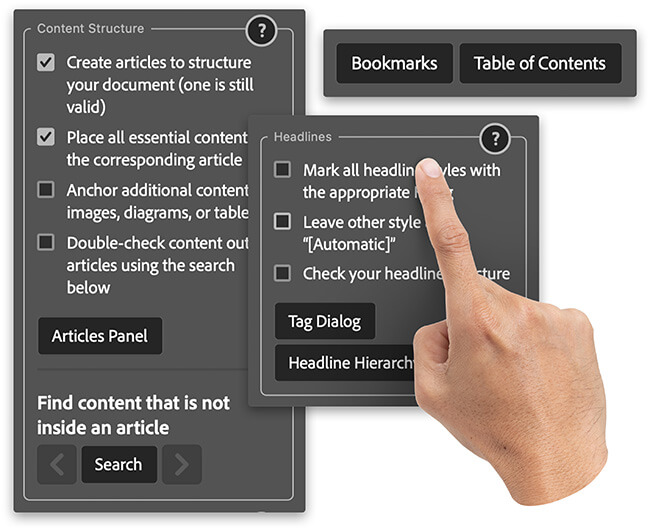
ally inClusive guides you through the process, giving you quick access to everything you need exactly when you need it.
- Shortcuts to all panels and dialogs you need – don’t waste your time searching through that window menu.
- A built-in manual that provides explanations and background information, ready to open at the exact step you’re on.
- A checklist you can actually check off after finishing each step, helping you keep track of your progress along the way.
Tools & Helpers
Many helpful tools right at your fingertips:
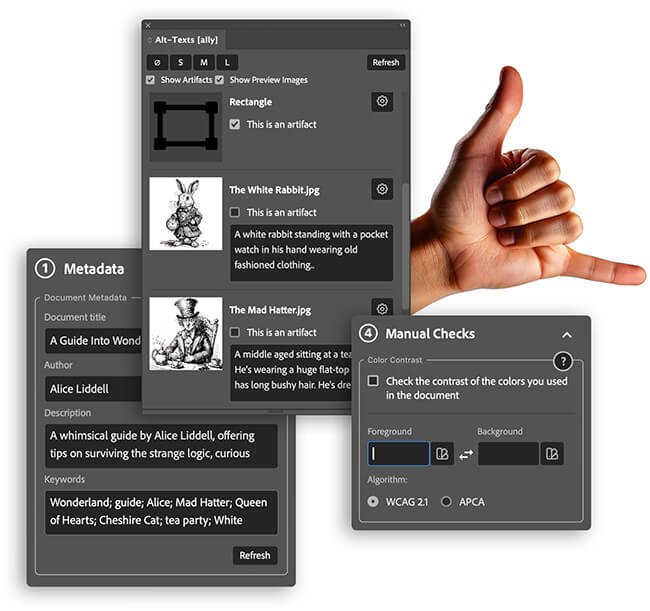
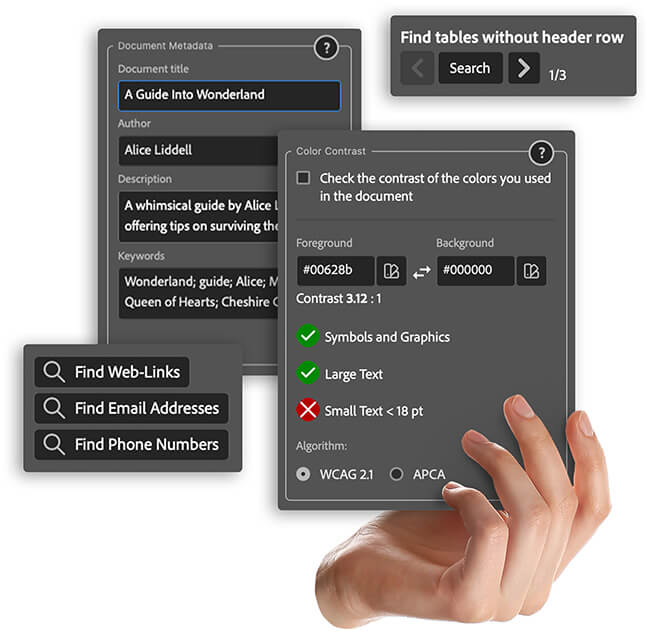
- An easy metadata editor so you don’t need to open another modal window.
- Search for issues like tables without headers or content not in any article. You can even search for URLs, emails or similar.
- Color contrast checker so you don’t even have to leave InDesign and can use your existing swatches.
Extra Panels
The panels InDesign forgot – but you need!
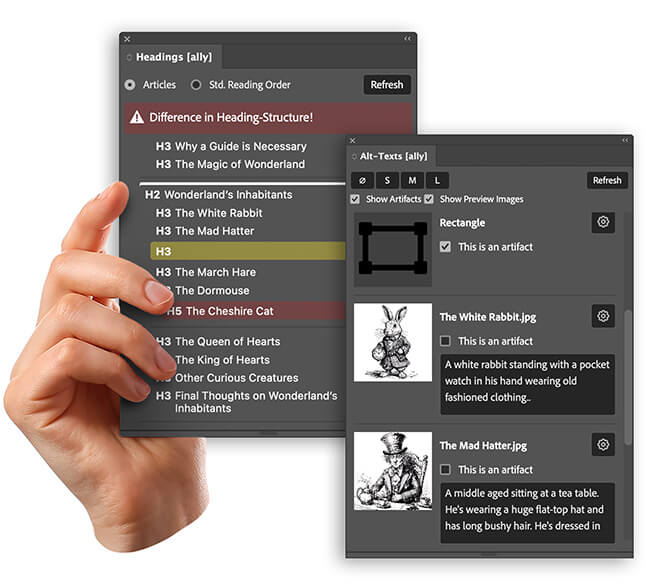
- Alt text panel: Get an overview and edit all alt texts at once without opening a single modal dialog. You can even mark items as artifacts with a simple checkbox.
- Headings panel: Verify your heading structure in the Article Order or Standard Reading Order. Get help finding structural errors.
Get ally inClusive for free. Download now!
We believe accessibility should be open for everyone. That’s why ally inClusive is completely free!
No subscriptions, no pro version – just a tool you’ll love as much as we do.
InDesign version 19.4 and up
Readme
An InDesign plugin created to help users produce accessible PDFs, offering tools for managing metadata, validating document structure, handling alternative text, and more.
Known Issues
A panel is completely blank
The panels don’t get rendered correctly, if they are opened by the menu the first time after the plugin is loaded (e.g. InDesign starts). To avoid this, ally InClusive has to open all panels on startup to make sure they are loaded correctly. This should avoid this bug. But if you still have a blank panel, restart InDesign and make sure to open all panels from the Plug-Ins Panel. Do not use the menu entries! Go to Plug-Ins > Plug-In Panel to open this panel, and only from there unfold “ally InClusive” and open all panels one time. Once they’re rendered the first time, you can use any way to open them again. –> This seems to be fixed now. The plugin will open all it’s windows using the UXP way (using the permission enablePluginCommunication).
Text of input fields greyed out on input
Seems to be a bug of UXP. No solution known to this point.
All panels open on startup (issue removed)
The plugin opens all it’s panles to prevent the bug of the panel being completely blank. Currently InDesign doesn’t seem to store plugin panels positions in the UI (https://forums.creativeclouddeveloper.com/t/how-to-attach-plugin-panel-permanently-to-the-sidebar/6730).
“Convert Hyperlinks Dialog” throws an error
This happens in some older InDesign versions, as the ID of the menu action changed. Currently we use IDs to reference the action, but we may change this later. For now: Please open this panel manually by going to the Hyperlink Panel and opening it from the flyout (hamburger) menu.
Flyout Menu on wrong panel
The flyout menu for the main panel could be attached to any other panel. This seems to be a UXP related bug:
Permissions
localFileSystem: fullAccess
This is needed for the alt text panel to load the preview images from the hard drive.
launchProcess > schemes: https
The plugin uses the <sp-link> tag to create clickable weblinks. These only seem to work with this permission active.
enablePluginCommunication
This is used to open the plugins own panels from within the plugin logic (e.g. when clicking on the help button in the main panel). This is also used to fix the problem with blank panels on startup.
Changelog
0.8.5-beta
- Feature: Reworked the Alt-Text panel and added support for Actual Text. Since it only makes sense to use either Alt-Text or ActualText, the plugin now handles the other properties automatically.
- Improvement: Use KeyStrings instead of IDs for menuActions where possible to make references safer.
- Improvement: Metadata: The plugin now tracks changes within the Document Information dialog and reacts accordingly.
- Fix: Metadata can now be cleared. Thanks, Roland_Dreger!
0.8.4-beta
- Feature: Add an option to set the tab order mode on export. If the order is strictly set in tab order dialog,
usePDFStructureForTabOrdermay not be set. - Fix: Swatch palette: Special swatch types like gradients don’t throw errors anymore and are simply skipped.
- Fix: Alt Text Panel: Resolved an issue where filtering out artifacts incorrectly hid entire groups if they contained an artifact. Now, only the specific child artifacts are hidden.
0.8.3-beta
- Fix: Resolved a bug in the non-article items search that caused an error when no elements were found.
- Metadata: Optimized the metadata section. Noted an unfixable UXP bug where metadata fields cannot be completely cleared.
- Rendering: Added a workaround for a UXP rendering issue occurring when translated texts are loaded dynamically into sp-nodes.
- Manual & UI: Updated content to clarify that a correct Standard Reading Order (element order) is not required by WCAG or PDF/UA, but can be helpful for legacy software.
0.8.2-beta
- Added missing tranlsation for settings dialog
0.8.1-beta
- HOTFIX: Plugin not working after export, as node_modules where required
0.8.0-beta
- #1 Added support for translations
- Support for setting a custom language (overwriting the system language)
- Added German translation
- Added Spanish translation (Note: translated by chatGPT but with good project context)
- Added a settings panel that will conpletely replace the broken flyout menu in the future.
0.7.2-beta
- #6 Fix a bug where export language will not correctly reflect the dialog setting. Now it will be updated when context is switched (e.g. document changes)
- #17 Alt-Text-Panel: Added an icon for groups to better see that you potentially need to check the children
- #12 Add function to reset document and plugin settings
- #10 Add a tool to convert all empty graphic frames to „unassigned“ frames
Old Versions
For feedback, ideas and bug reports reach out to roman@e-dvertising.at
This plugin is currently in continuous beta. We have a long wishlist of features we plan to build over time, and while we’ve received very few bug reports so far, it hasn’t been exhaustively tested. Be aware: Things may not work or crash. Although this never happened before, we can’t guarantee that your files won’t get corrupted. So please be careful when using it and keep backups of your files. We do not provide any warranty for this product.
e-dvertising – The creators of ally inClusive
We believe everyone should have access to the right tools for creating accessible documents – that’s why ally inClusive is completely free.
You don’t have the time or resources to make your files accessible? Or maybe you’re stuck with a particularly complex document? No problem! We offer professional services to ensure your files are fully accessible and compliant with PDF/UA and WCAG 2.1 standards.
We’d be happy to hear from you.